
Read the client queue
What each part of a waiting client's row tells you, before you decide who to call next.
- Who can use it
- All staff
Your queue is the list of clients waiting in your room. It is on your dashboard under My Room, and it sorts itself so the longest wait is at the top.
When nobody is waiting it says No clients in queue.
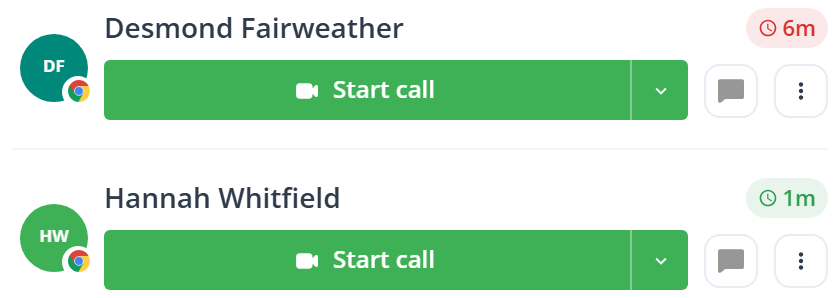
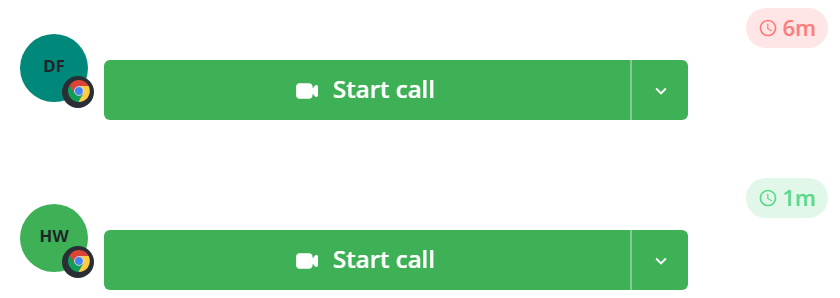
Left to right: the avatar, the name with its wait time, the green Start call button and its arrow, the chat button, and the dot menu.
The chat button appears only when Receive waiting room messages is on, so a row may have one fewer control than the picture. See Message a client before the call.
The wait time
The wait time is the pill at the end of the name line. Desmond’s reads 6m and Hannah’s 1m in the picture above.
The color is the whole point of it. Green under three minutes, amber to five, red after that. Green means they have just arrived; red means long enough that somebody should say something.
In your own queue it counts from check-in. In a shared room it counts from the last time the client became free to pick up, so a client who was claimed and handed back starts again rather than carrying the whole wait. The total since check-in is in Status, which is the number the pill does not show.
The pill also stops coloring once somebody holds the client: it goes plain, because the clock is then measuring a conversation rather than neglect.
The badge on the avatar
The small circle at the corner of the initials shows which browser they are on. Both clients above are on Chrome.
An amber warning triangle replaces it when something about their device is likely to cause trouble, such as a blocked microphone or a browser too old for video.
Hover it, or open Status from the dot menu, to see what is wrong before you call.
The arrow beside Start call
It offers Audio-only call instead of video. See Start a call with a waiting client.
What to know
- A client who closes their tab leaves the queue, and the row disappears.
- Rows do not refresh on a timer. They arrive and leave as they happen.